We’ve introduced the ability to lock skills in role templates. This allows you to define non-editable skills directly at the template level. When a skill is locked, it cannot be modified or removed in roles created from that template. Here is how it works:
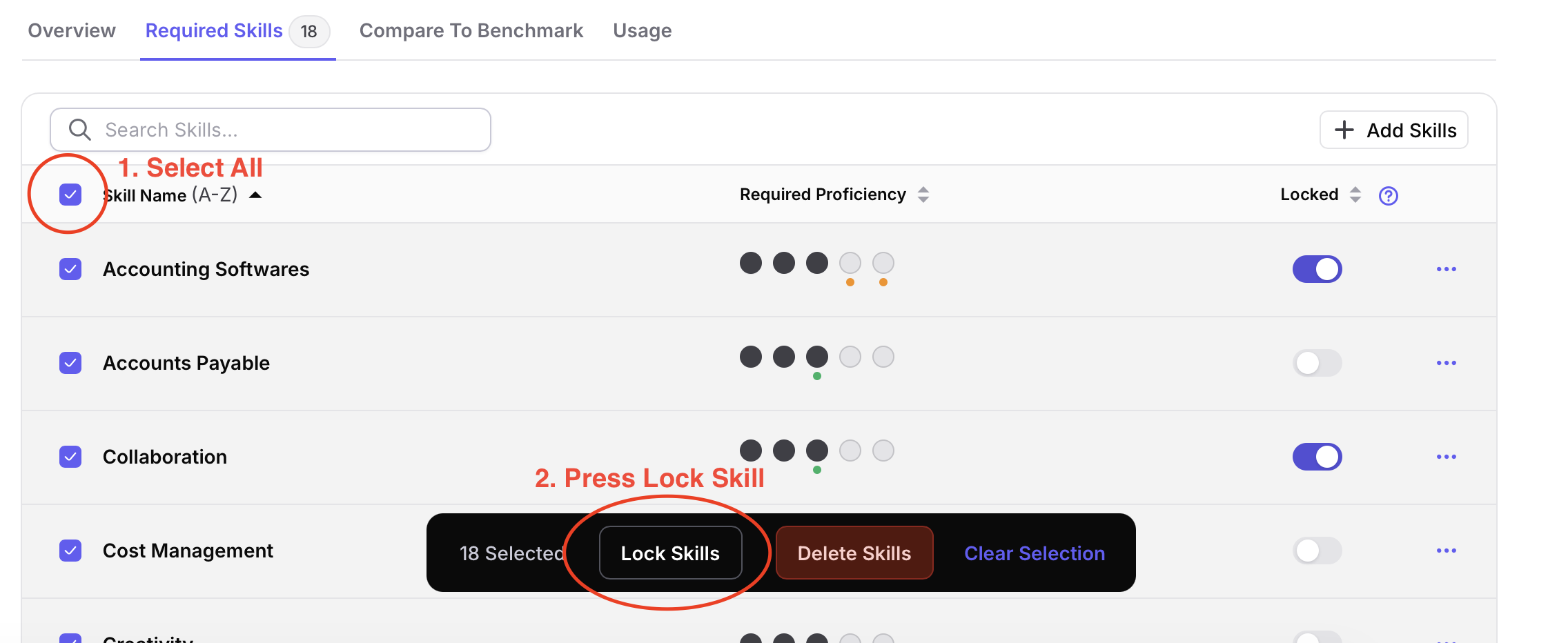
Navigate to a Role Template → Required Skills. You’ll see a new “Locked” toggle next to each skill.

Activate the toggle for any skill you want to enforce. Changes are applied immediately.
You can select multiple skills and use the bulk action bar to lock them in one step.

To lock all skills in a template, simply click on the Select All checkbox then click the Lock Skills button. Your changes are applied immediately and all skills in the template are locked.
When a role is created from a template with locked skills:
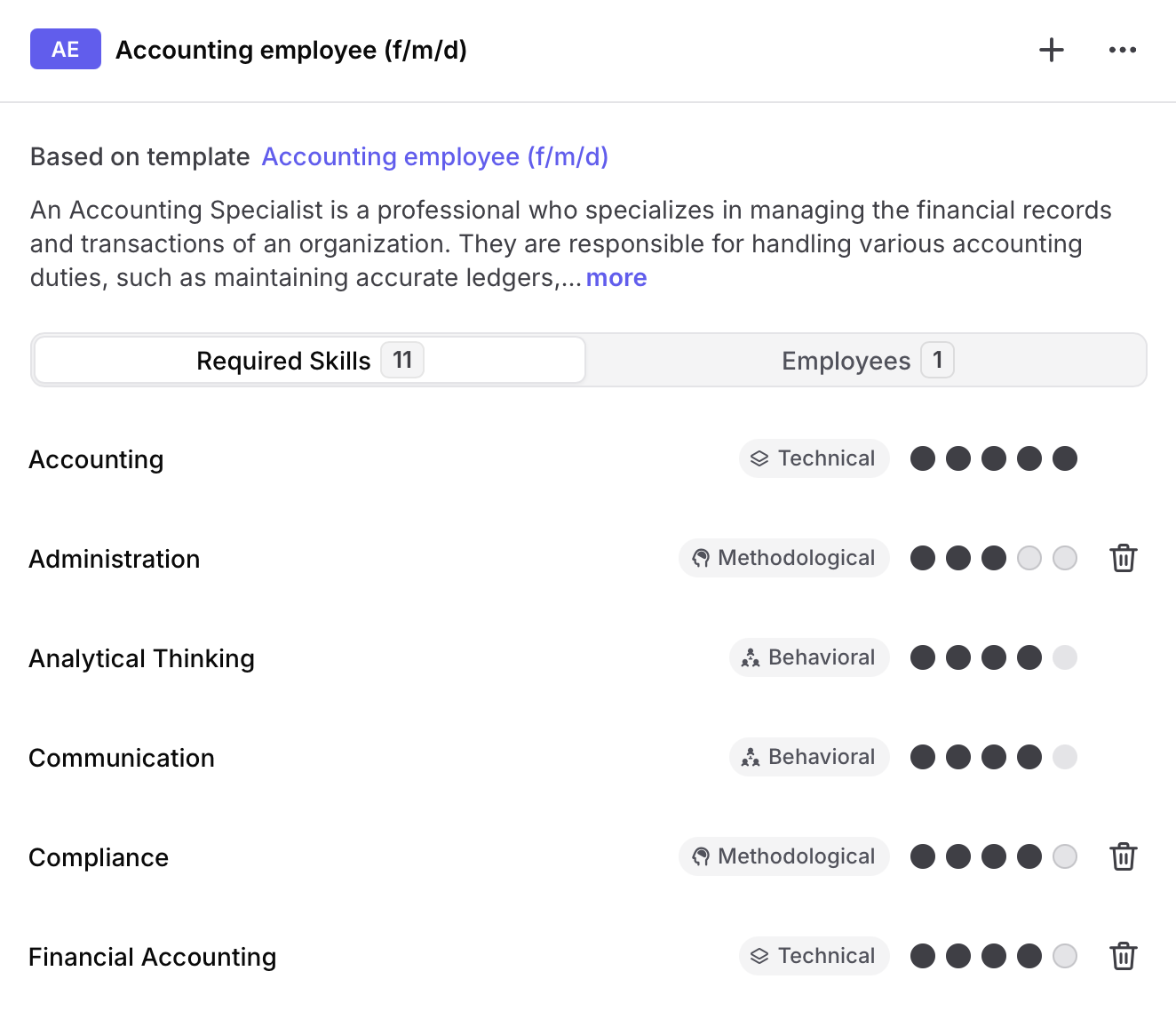
Unlocked skills remain fully editable.
Thanks for using Appose—and thanks for helping us make it better.
— The Appose Team


